Short Hair 3 Duplicate


1. このようにエッジループを何本か追加します。
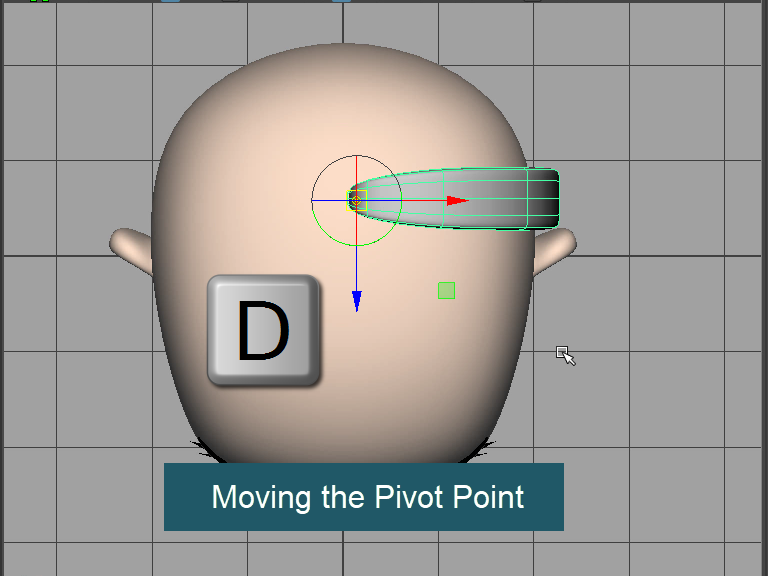
2. ピボットポイント(軸)を髪の付け根に移動します。

3. Duplicate
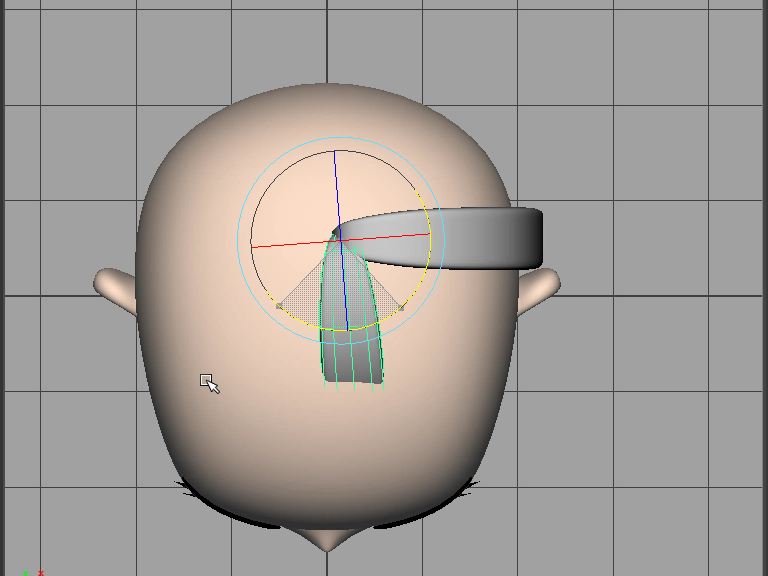
4. Rotate to the front.

5. Adjust the shape.
形を調整します。

6. さらに複製して回転させます。
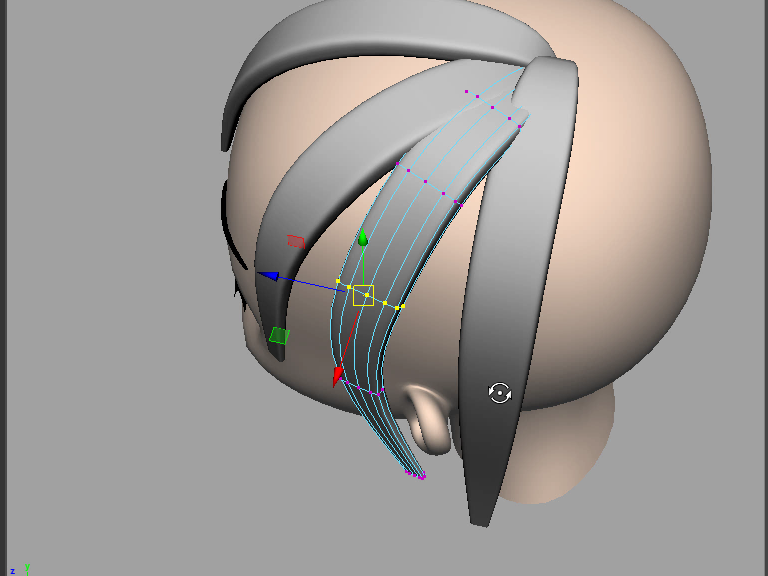
7. Adjust the shape.
頭の形に合わせて髪の向きを調整します。

8. Adjust the shape.
毛先の形や向きを調整します。
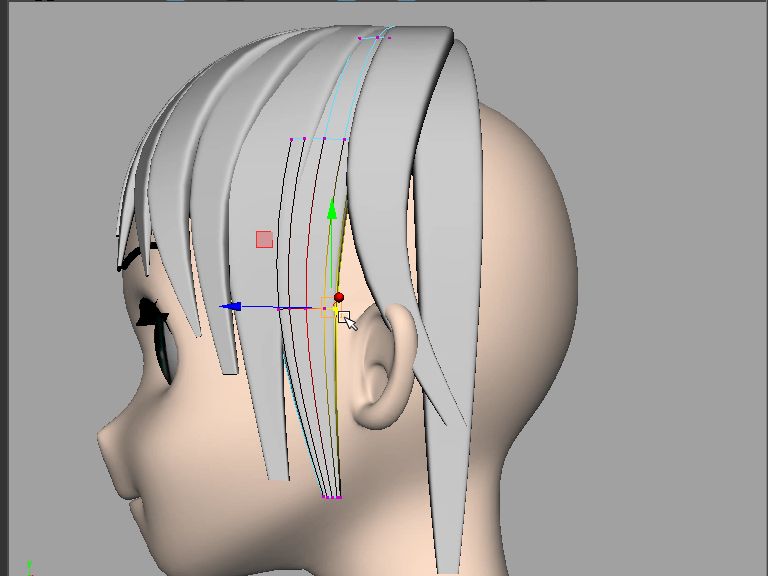
9. Duplicate and adjust the shape.
さらに髪を追加し、形を整えていきます。

10. 後頭部にも髪をコピーします。

11. Adjust the shape.
形をととのえます。
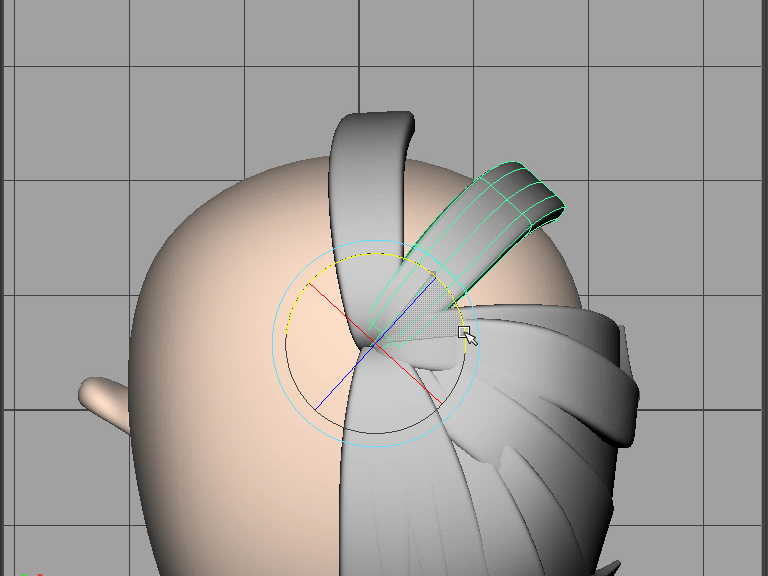
12. Duplicate and rotate.
さらに複製し、回転させます。

13. Avoid similar shapes. Randomaize all hairs.
同じ形を避けます。毛先の大きさや角度を変えます。
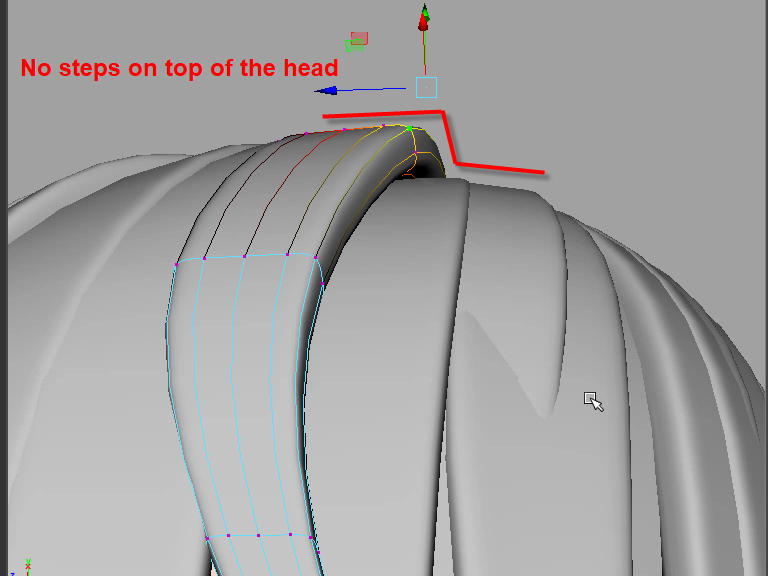
14. Fix all steps on the top of the head. Make it smooth to get nice high light.
Use Soft Select(B) to move vertices.
頭の上のあたりの段差はできるだけスムーズにします。スムーズにするとハイライトがきれいに出ます。キーボードBのソフトセレクトで修正します。

15. Use Soft Select(B) to move vertices.
ソフトセレクトBで修正します。

16. It's better to make dents to make more natural looking.
Select an edge and move down or slide to the side to randomize.
髪に凹凸をつけることで より自然な感じになります。
エッジを一つセレクトし、下に下げたり、または少し横にずらしたりします。
エッジループ全体を下げると不自然な形になります。エッジを一本だけ移動するのがコツです。